![logo_peach.png]](https://help.becreatives.co/hs-fs/hubfs/logo_peach.png?height=23&name=logo_peach.png)
With Background Upload, your files continue uploading behind the scenes while you complete and submit your request. That means less waiting and a smoother experience from start to finish.
What's changed?Previously, you had to wait until your media reached 100% uploaded before you could submit your request.
You can now click the Submit & Upload in Background and your files will continue uploading in the background if they're not already complete by the time you are done filling out the request form.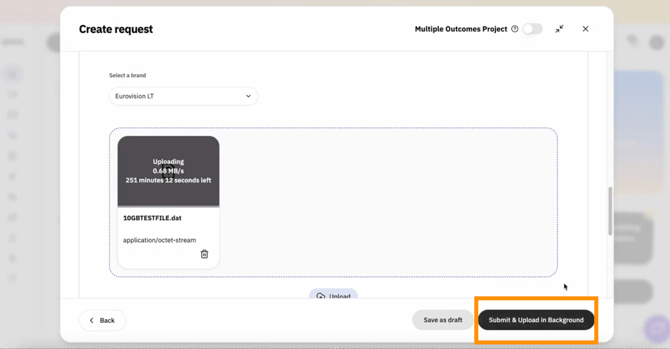
As soon as all of your media has finished uploading, your request is automatically processed and moves into the queue. There's nothing else you need to do.
Now, you can:
- Start uploading your files.
- Fill out your request details while the upload continues.
- Submit your request without waiting for the upload to finish.
No more watching the upload progress bar or waiting around before moving on to the next step.
- Spend less time waiting before submitting a request.
- Multitask while your files upload.
- Enjoy a faster, more seamless workflow.
- Submit your request as soon as you're ready.
Background Upload is designed to make requesting edits quicker and easier, so you can get back to running your business while your files upload in the background.