![logo_peach.png]](https://help.becreatives.co/hs-fs/hubfs/logo_peach.png?height=23&name=logo_peach.png)
You can duplicate any request by visiting the Requests tab, finding the request by name and clicking on the "Duplicate" button: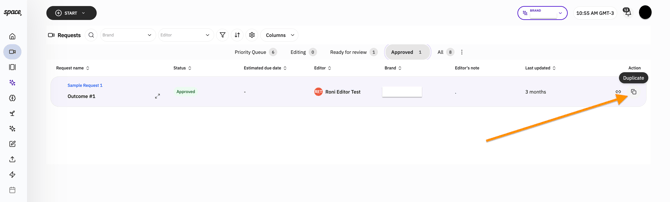
This will create a separate Draft request, which you'll be able to edit to add a new description or upload different raw footage. After clicking Duplicate, please navigate to the Draft tab under the "..." menu: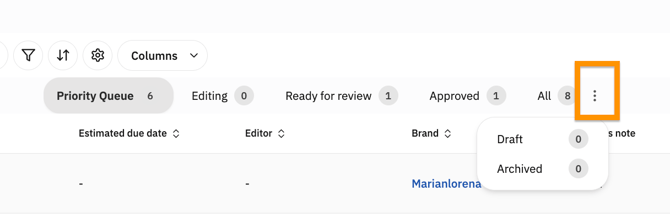
After adding new instructions in the Description section, and making any other changes, please click the SUBMIT button. This final step will make the duplicate request move to your Priority Queue for your editor to tackle.
PRO TIP: Submit multiple requests to take advantage of the never-ending editing cycle.