![logo_peach.png]](https://help.becreatives.co/hs-fs/hubfs/logo_peach.png?height=23&name=logo_peach.png)
We've made it even quicker to submit a video editing request:
Instead of choosing a style before you begin, you'll now go straight to uploading your media. It's a faster, more streamlined experience with fewer steps to get started. This is what you'll see right after clicking the REQUEST EDIT button on your Dashboard: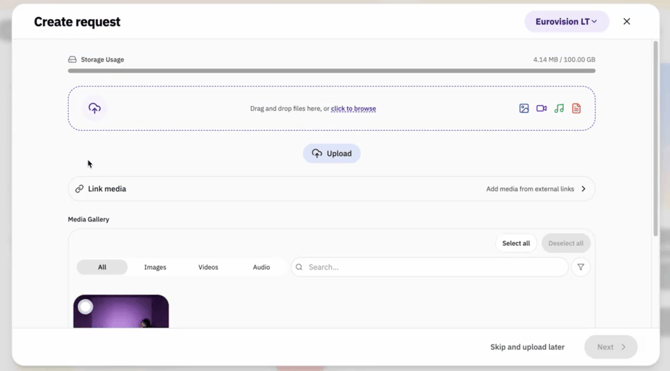
Don't worry—Ready Video Styles are still available whenever you want to use them.
When you create a new request, you'll now be taken directly to the media upload screen. This means:
- Fewer clicks before you can start your request.
- A faster, more intuitive workflow.
- Less time navigating and more time getting your content submitted.
Where can I find Ready Video Styles?
Ready Video Styles haven't gone anywhere—they've simply moved. You can browse and start from a Ready Video Style anytime from:
- Your Dashboard
- The Style Gallery
If you want your video edited using a specific template, simply choose your preferred style from one of these locations before creating your request.
Do I have to use a Ready Video Style?Not at all! Using a Ready Video Style is now completely optional. If you already know what you want, you can upload your media and submit your request straight away.
If you'd like a consistent look or want to start from one of our pre-built templates, simply select a Ready Video Style from the Dashboard or Style Gallery first.The choice is yours.
By removing an extra step from the request process, it's now quicker than ever to submit your videos while still giving you the flexibility to use Ready Video Styles whenever they suit your project.