![logo_peach.png]](https://help.becreatives.co/hs-fs/hubfs/logo_peach.png?height=23&name=logo_peach.png)
Here's how to do it:
- Log in to your beCreatives account.
- Go to the Company section of your profile.
- Click Manage Subscription.
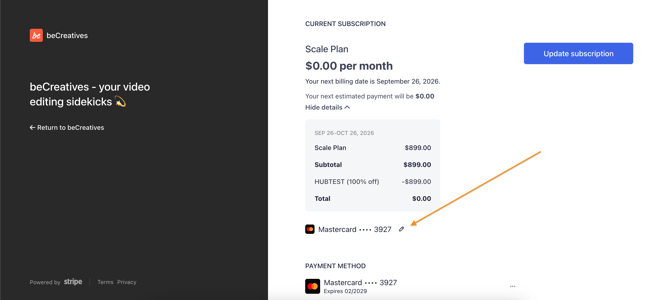
- Click the Pencil button located right next to your current payment method information
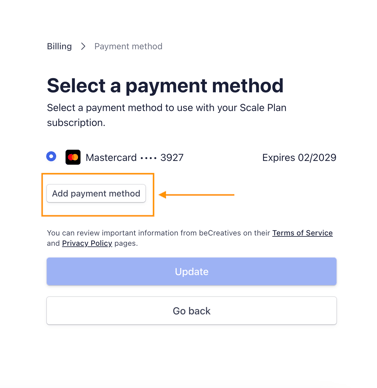
- Click Add payment method and enter the new card details, then click Update.
- After adding your new card, you'll see the option to delete any older cards you no longer want saved.
IMPORTANT: Once your payment method is updated, you authorize us to use your preferred card in all future subscription payments.
Need a hand? If you run into any issues updating your payment details, reach out to our support team via the Support chat button or via email at support@becreatives.co and we’ll be happy to help.